From sign-up to your first AI citation.
Read time: 6 minutes. By the end you’ll know exactly what to expect — what you’ll see on day 1, what you actually have to do (very little), and how PASSIM gets your brand cited by ChatGPT, Perplexity, Claude, Gemini, and Google AI Overviews.
Get your free 48-hour audit
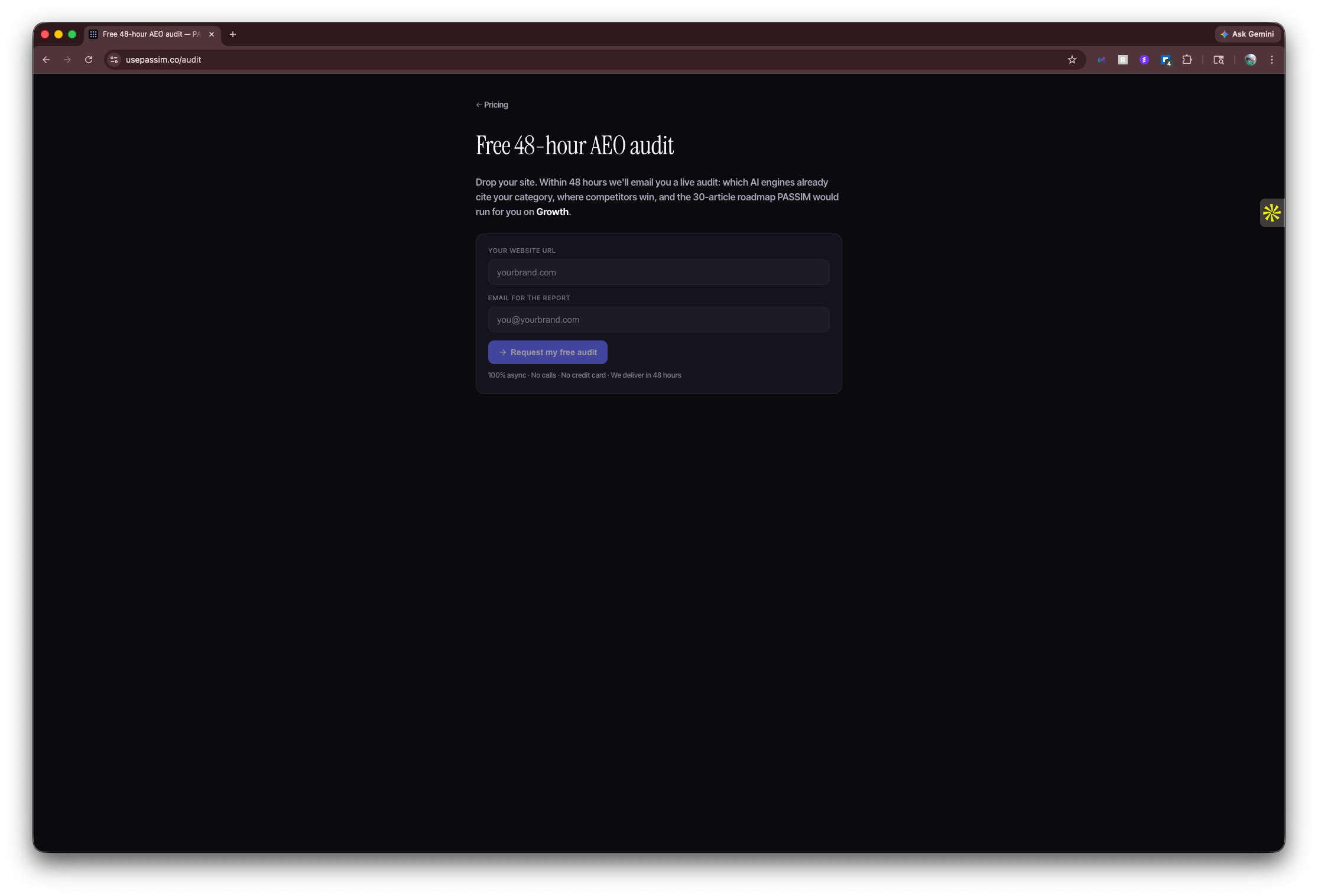
Drop your store URL on the audit page. PASSIM crawls your site, reads your products, profiles your brand voice, and within 48 hours emails you a complete preview:
- The 52-keyword AEO roadmap we’d publish on for your category
- A full sample article in your brand voice (1,800+ words, FAQ schema, the works)
- A brand voice profile you can read and tweak before paying
No credit card. No call. If the keywords don’t match what your buyers ask, or the sample article doesn’t sound like you, walk away — costs nothing.
Sign up & connect your store
Pick a plan on the pricing page. Sign in with your email — no passwords, just a magic link. Then four quick connections:
Day 1: your first article
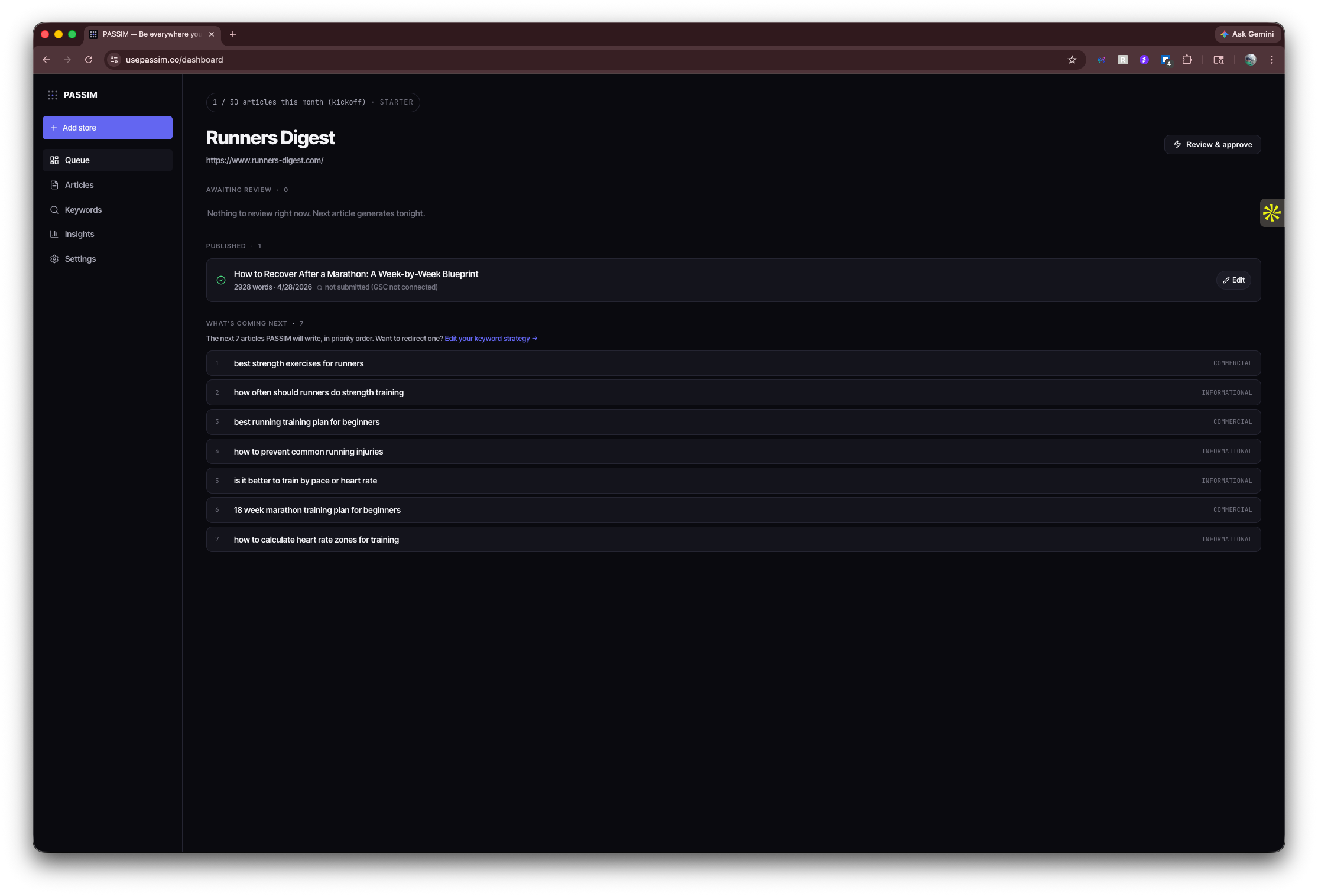
As soon as you connect your store, PASSIM picks the highest-demand keyword from your queue and generates a full article. The first one usually lands within 30 minutes — you’ll see it in the dashboard with a Review & approve button.
You also see What’s coming next — the next 7 keywords in priority order, with intent (commercial / informational / transactional) and the demand sources that surfaced each one. So you always know what’s about to land.
Review or auto-publish
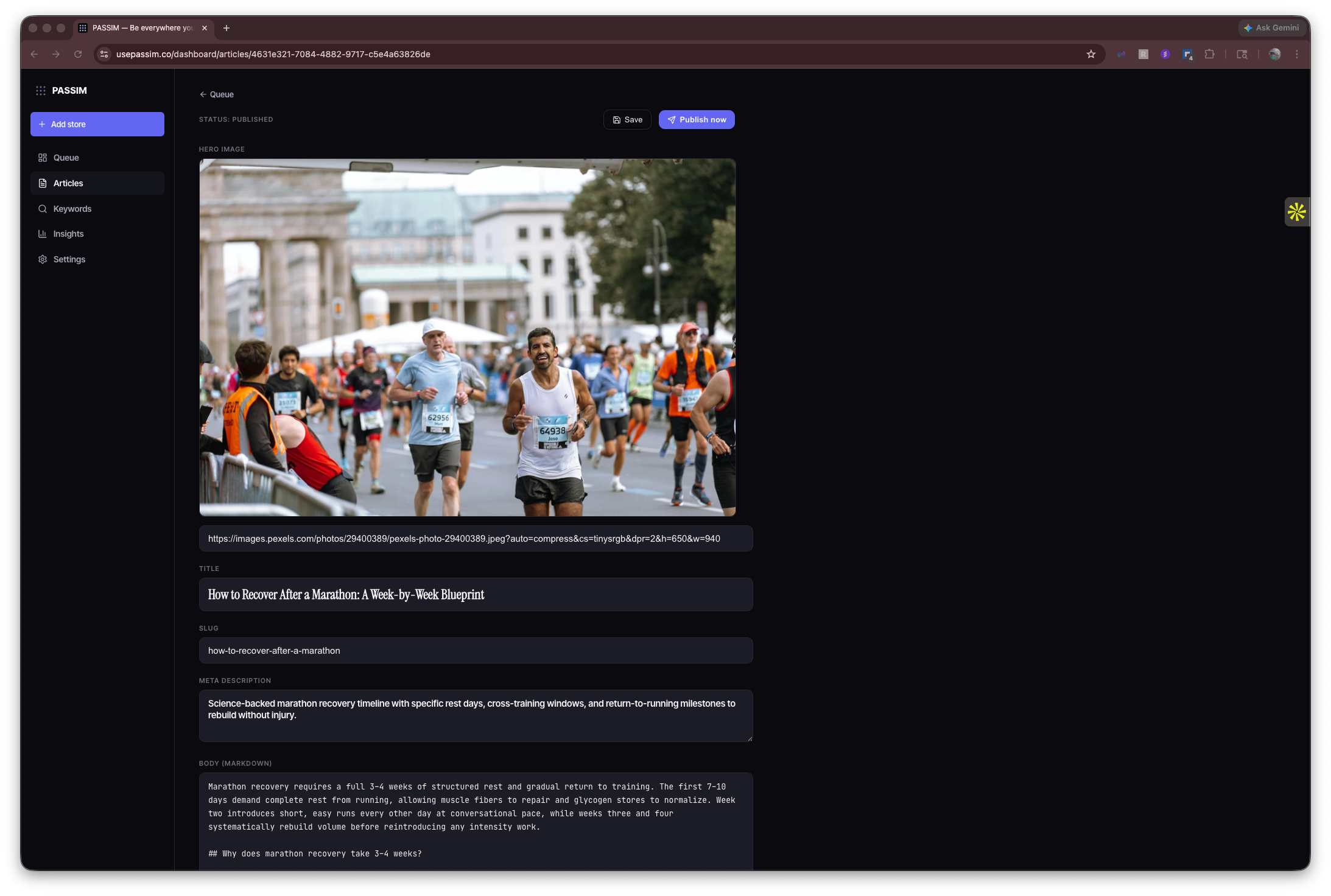
Click Review & approve on any article. You see the full draft — title, hero, body, FAQ — and three options:
- Approve — publishes to your store immediately, indexed via Google Indexing API
- Edit — make any tweaks, then approve
- Reject — kills it, queue moves to the next keyword
Most customers run review-mode for the first week, then flip auto-publish on once they trust the quality. Either way the cadence is always one article per day — review just adds your judgment in the loop.
Leave feedback that sticks
See something you want changed? Drop a single sentence in the feedback box on any article:
“Keep article openings to 2 sentences maximum. No 3-sentence leads. Also, never mention competitor brands by category without naming a specific product — sounds lazy.”
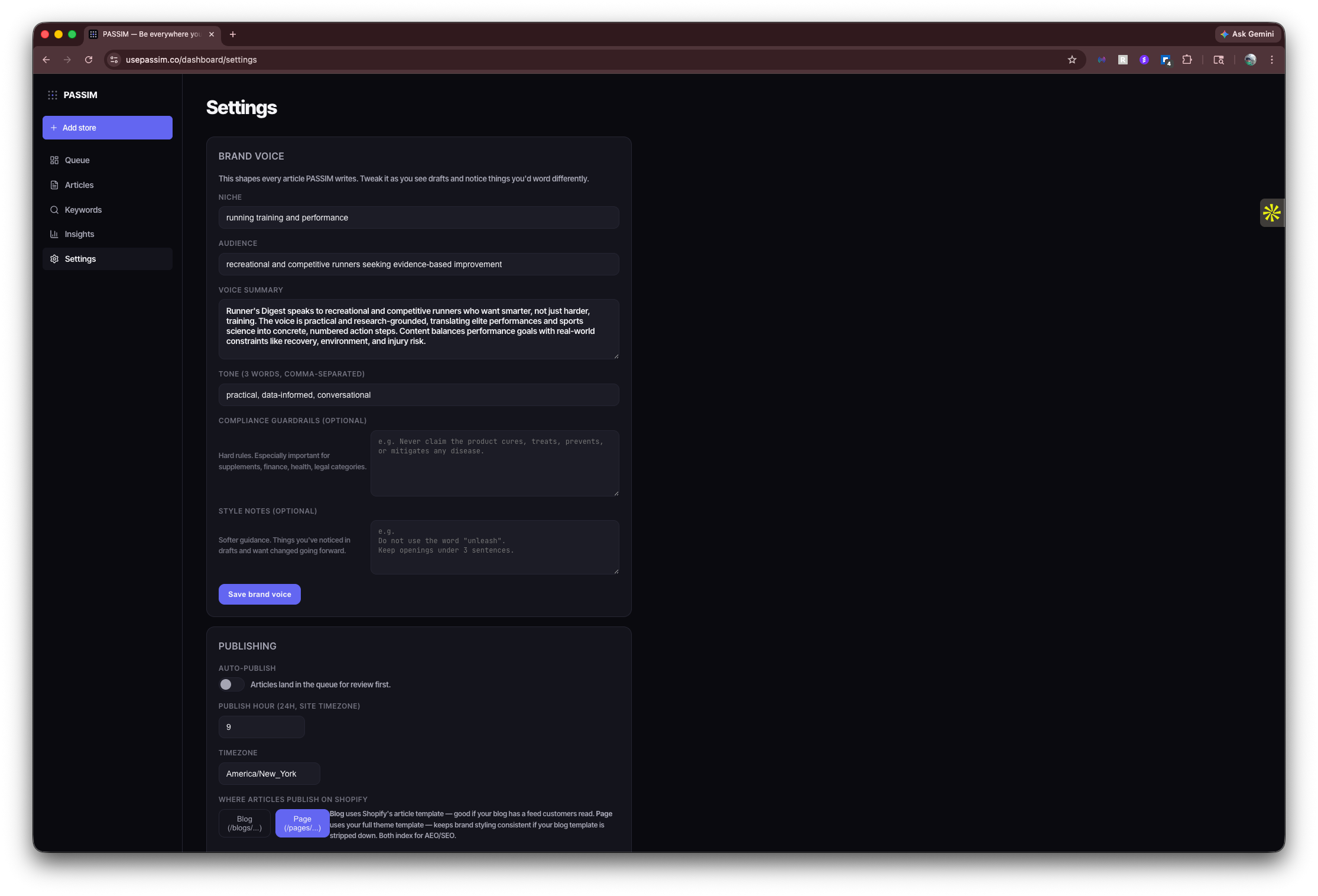
That note is now permanent policy. Every future article from that day forward respects it. You can see all your active feedback in Settings → Brand voice and edit anything you want.
Watch the citations come in
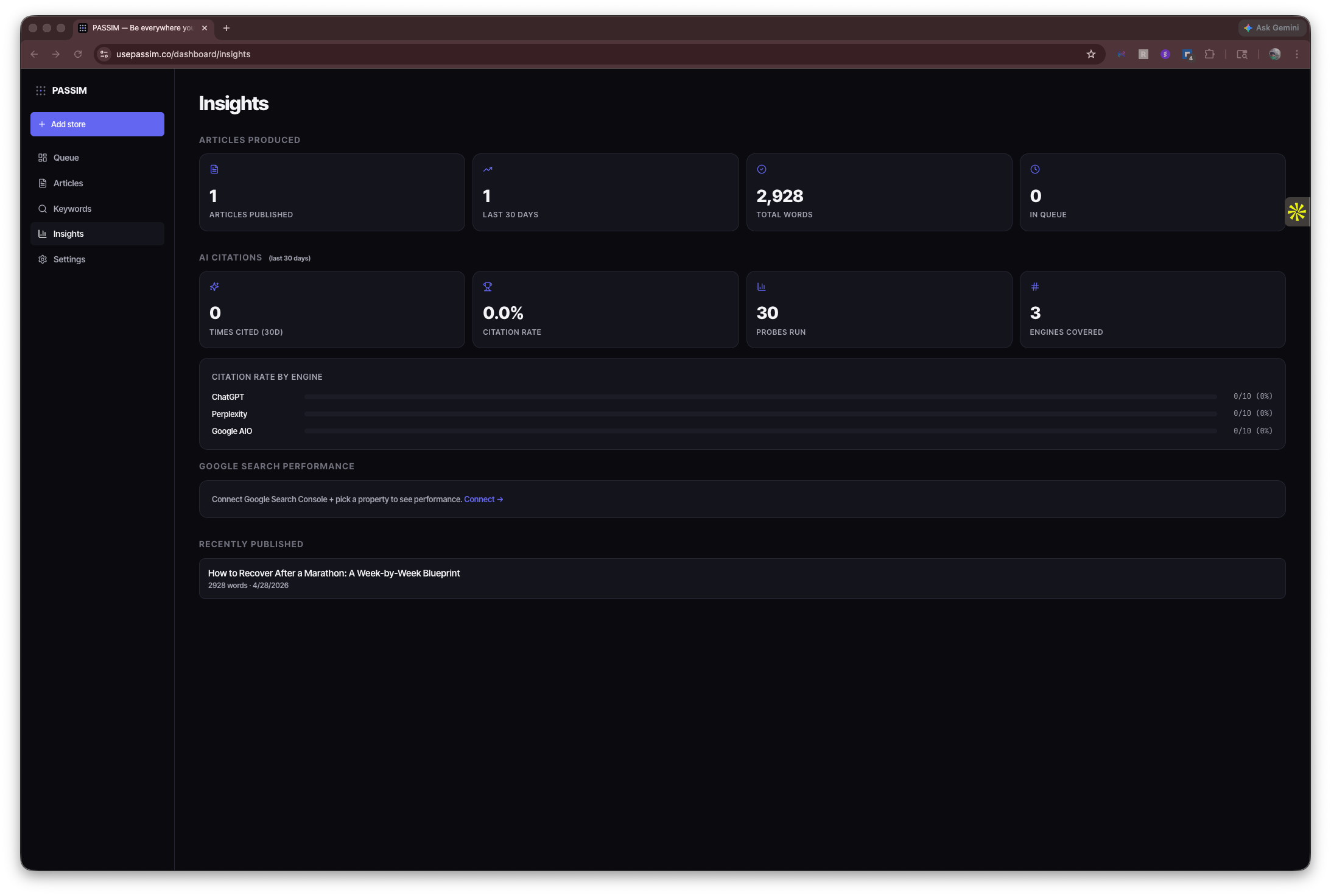
Every morning we run your top keywords through ChatGPT, Perplexity, Claude, Gemini, and Google AI Overviews — exactly as a buyer would ask. We log who cited you, who didn’t, and which URL was referenced.
The Insights page shows your citation rate by engine, the keywords where you’re winning, and the ones still missing. First citations typically show up around week 2–3 once enough indexed content has accumulated.
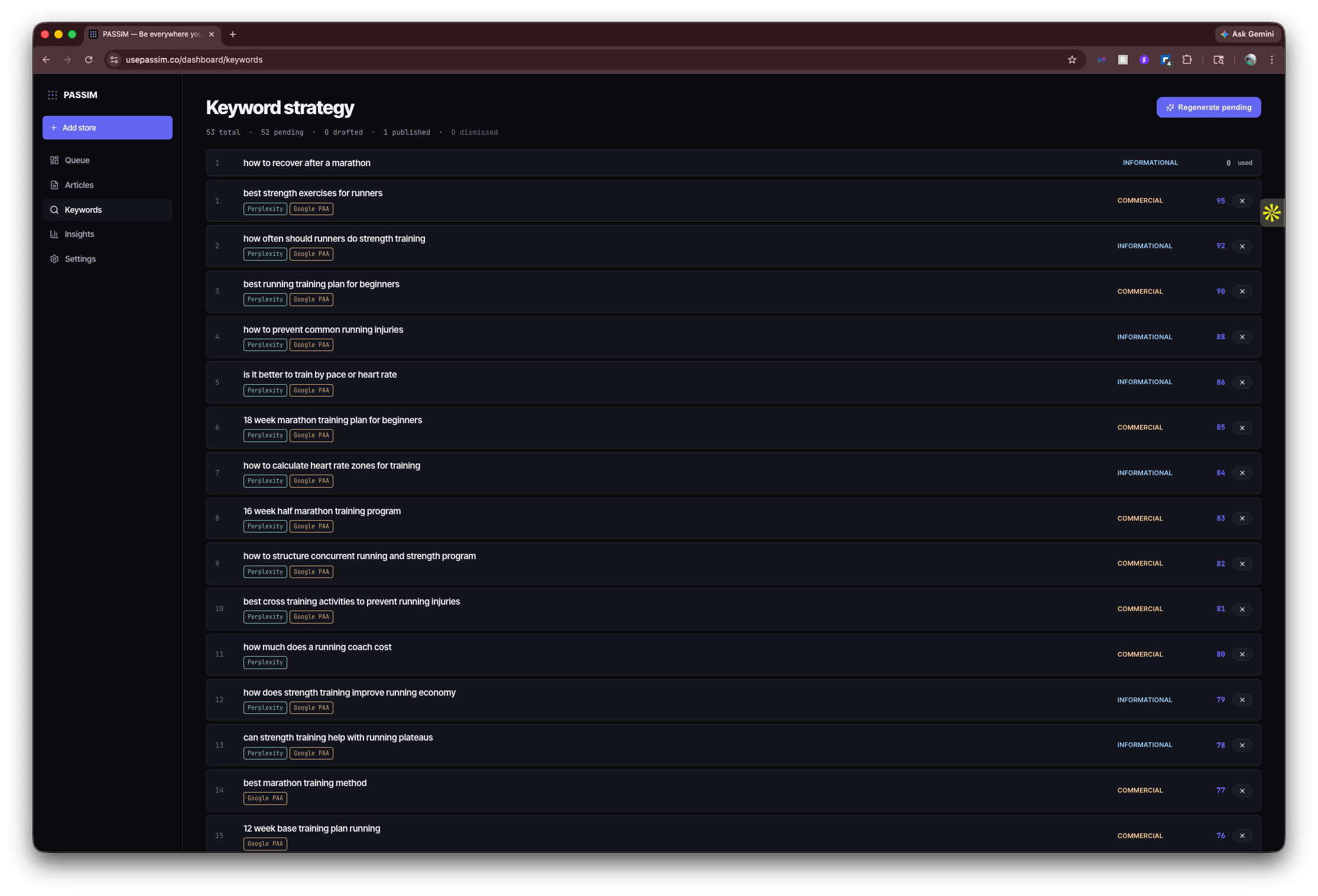
The keyword strategy (your queue)
Your 52-keyword roadmap lives at /dashboard/keywords. Each keyword shows demand sources (Perplexity / Google PAA / your GSC / Reddit / Claude synthesis) and a 0–100 demand score so you can see why it ranks where it does. Skip any you don’t want, and click Regenerate pending whenever you want a fresh research run.
Common questions
Do I have to write anything?
What if the article has factual errors?
Can I pick the topics myself?
What if the AI engines never cite me?
Can I cancel?
What happens if I miss a day?
Can I export my data?
That’s the whole product.
Free 48-hour audit, no card, no call. See your roadmap and a sample article first.